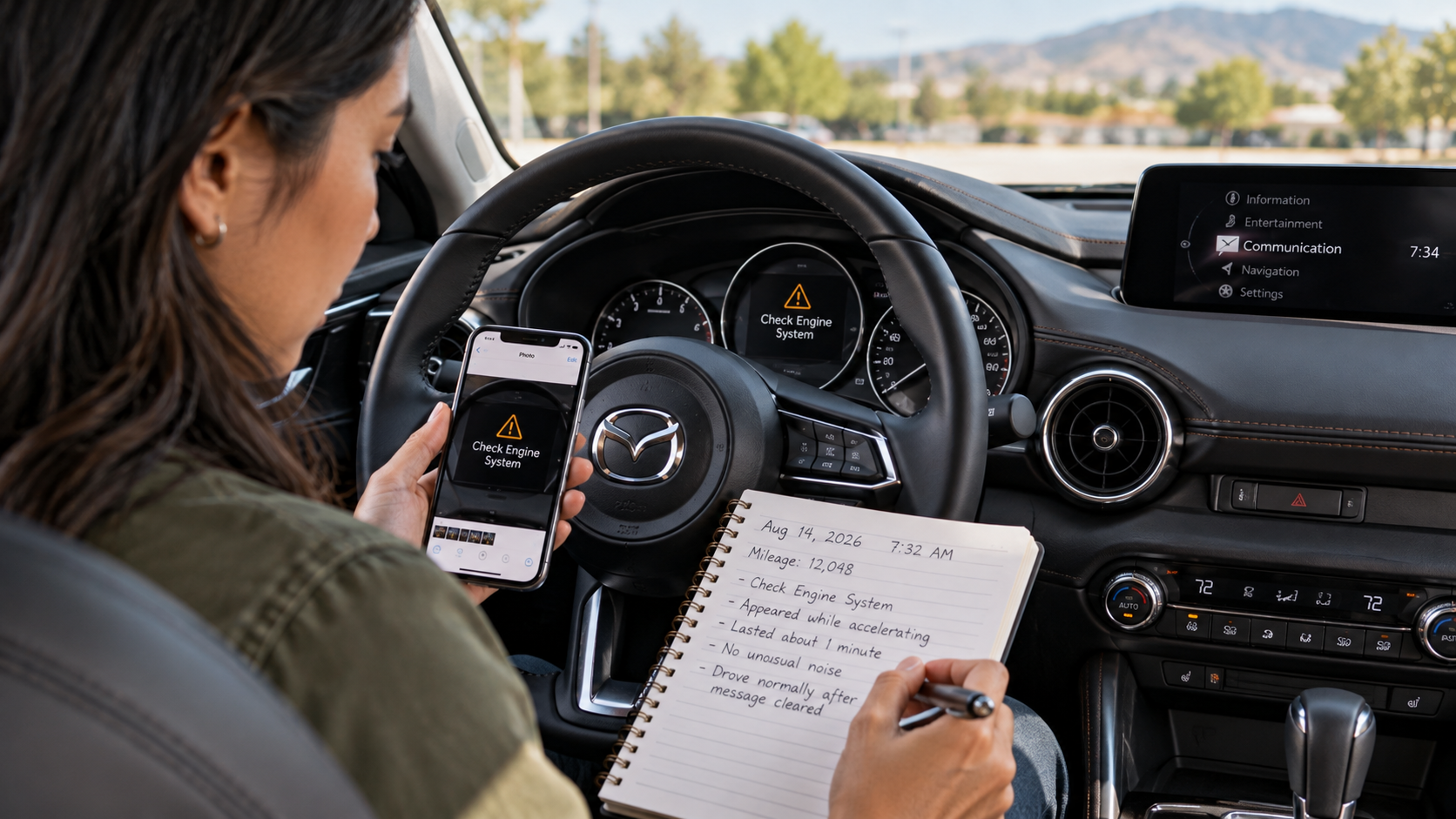
A warning that vanishes before your appointment can leave you wondering what to tell the technician. When contacting Mazda service Waipahu drivers should bring clear notes about what happened and when. A short symptom log preserves details that might be difficult to recall later. It also separates what you observed from what you suspect caused the issue. Here is how to build a useful record without trying to diagnose your Mazda yourself.
How to Start a Mazda Symptom Log
An intermittent concern may last seconds and disappear before you can describe it. Therefore, begin with a simple record after you safely stop driving. Include the date, approximate time, mileage, and a short description of the event. These details give a technician a starting point for reviewing the concern.
What should you write down first? Record the symptom, when it appeared, and how long it lasted. Avoid guessing which component requires replacement. Instead, describe only what you saw, heard, or felt.
Use the same fields each time you add an entry:
- Date and mileage: Note when the symptom appeared and the odometer reading. These details place separate events in order.
- Vehicle activity: State whether the Mazda was starting, idling, turning, accelerating, braking, or parked. This gives context to the event.
- Symptom and duration: Describe the sound, vibration, message, or change you noticed. Record whether it lasted seconds, minutes, or an entire trip.
Afterward, add whether the issue stopped by itself or remained present when the vehicle was parked. If another person noticed the same issue, their description may add useful detail.
Keep entries short enough to read at a glance. A few accurate sentences serve the service team better than a lengthy account filled with assumptions. Moreover, you do not need to drive again merely to complete a missing field.
What Sounds and Vibrations Can Tell a Service Advisor
A noise and a vibration may feel related, but each needs its own description. Sound identifies what you heard, while vibration describes movement you felt through the vehicle. Neither observation proves the source of the concern.
How should you describe a sound or vibration? Identify its location, character, and the vehicle action occurring at that moment. A clicking sound during a turn differs from a humming sound while traveling straight. However, neither description alone establishes which part needs service.
For a noise, describe whether it resembles a click, rattle, squeal, or hum. Then, note whether it appeared near the front, rear, or inside the cabin. Avoid placing yourself near moving parts to investigate.
For a vibration, identify where you noticed it. Did you feel it through the steering wheel, brake pedal, seat, or floor? Additionally, note whether the sensation appeared while braking, accelerating, or remaining at a steady speed.
The location and timing help a technician select an appropriate inspection path. For instance, an observation made during braking calls for different checks than one made while parked. Still, multiple components may create similar sensations.
If the symptom creates an immediate safety concern, stop in a safe place and seek assistance. Do not attempt sudden braking, aggressive steering, or repeated acceleration to recreate it. Your safety takes priority over collecting another observation.
How to Record Mazda Dashboard Messages
A dashboard indicator may appear briefly and vanish before your service visit. Mazda warning displays communicate specific information, but the exact instructions vary by model and warning type. Therefore, preserve the wording or symbol when it is safe to do so.
What if the warning disappears? Record what it displayed and check the applicable Mazda owner's manual. A vanished indicator does not prove the underlying concern has ended. Additionally, some warnings require prompt action even if you were planning a routine appointment.
Use this method when a warning appears:
- Capture the exact message: Record the displayed words or indicator symbol. Take a photograph only when safely parked, never while driving.
- Note accompanying details: Record any unusual sound, reduced response, or other message appearing at the same time. Keep observations separate from guesses.
- Follow Mazda guidance: Consult your vehicle's manual for the specific warning and required next step. Stop driving when the instructions call for it.
On supported Mazda vehicles, the Vehicle Status Monitor may provide warning details through the vehicle display. However, available menus and features differ across models and years. The owner's manual remains the reference for your particular Mazda.
If the warning is red or instructs you to stop, respond to that instruction promptly. Do not continue driving to gather more log entries. When uncertain whether your Mazda is safe to operate, ask for professional guidance before moving it.
How to Track a Problem That Comes and Goes
A recurring concern may follow a pattern even when the Mazda drives normally between episodes. Separate log entries make those patterns easier to notice. They also preserve differences that memory may blur after several days.
What if the issue appears only once every few trips? Keep a brief entry for each occurrence without deliberately recreating the symptom. Review the entries for common details, including timing, vehicle activity, and duration.
A sound that appears shortly after startup may deserve a different inspection approach from one noticed after a longer trip. Likewise, a vibration reported only while braking offers a distinct clue. These observations guide testing, but they do not identify the cause by themselves.
Compare when the issue starts with when it stops. Did it vanish after the vehicle came to rest? Did a warning remain visible until the next startup? Recording these changes gives the service advisor a clearer timeline.
Avoid assuming that a missing warning means the concern has resolved. Electronic faults may leave stored information for a technician to review. Still, not every intermittent problem creates a stored diagnostic code.
If several episodes differ, record those differences instead of forcing them into a single explanation. This keeps your notes accurate and leaves the diagnosis to trained technicians. Finally, follow the owner's manual whenever a warning demands immediate attention.
How to Share Your Notes With Mazda Service in Waipahu
Your symptom log is most useful when another person can scan it quickly. Before contacting the Mazda service department, choose the entries that describe the concern most clearly. Bring the full record as supporting information if the advisor needs more detail.
How should you explain the issue during scheduling? Begin with the main symptom, its timing, and whether it has happened again. Then, mention any warning message or change that requires urgent attention.
A clear summary follows three steps:
- Lead with the observation: Say what you heard, felt, or saw without naming an unconfirmed repair. Include the location when you know it.
- Give the pattern: Explain when the issue began, how many times it appeared, and which vehicle actions accompanied it. Keep the sequence simple.
- Share supporting details: Offer mileage notes, safely captured photographs, and previous service records when relevant. Ask how the department prefers to receive them.
For instance, you might report a brief vibration through the steering wheel during two separate braking events. You could also mention that no dashboard message appeared. This is more precise than saying the vehicle needs new brakes.
Additionally, ask the advisor to include the intermittent nature of the concern in the service request. A symptom may not appear during an initial inspection. Your notes provide a reference for further discussion if that happens.
Cutter Mazda Waipahu can review your description and explain the next scheduling step. When you contact its service team, focus on what you observed and any current safety warning. A concise record gives the technician a clearer starting point and leaves room for a proper diagnosis.